Personal workspaces by default
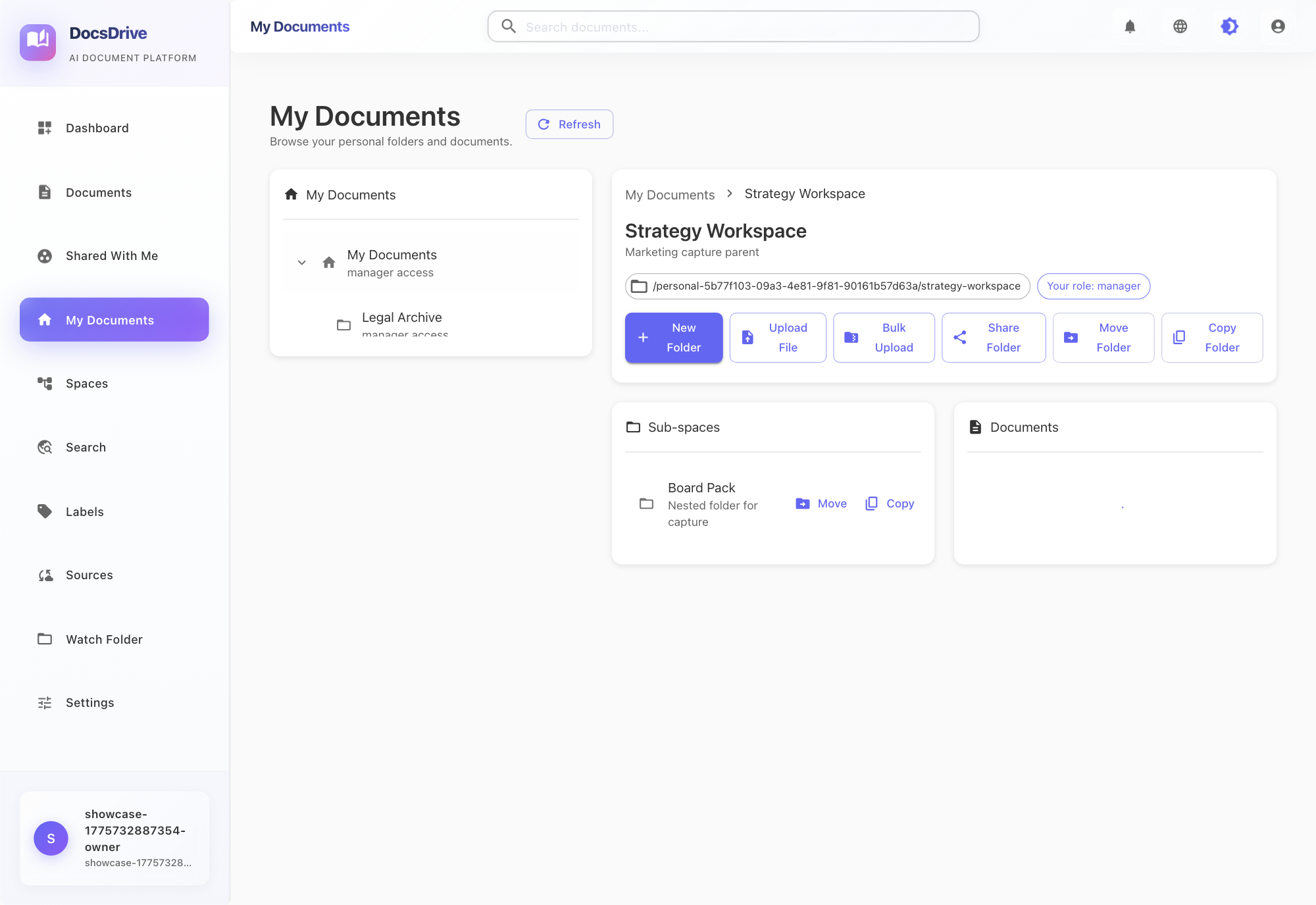
Every user starts in My Documents, with room to create nested folders, upload into the active location, and work inside a structure that feels familiar.
Enterprise Document Operations
DocsDrive gives teams a cleaner operating layer for document-heavy work. Users get a personal workspace, shared team folders, OCR-backed discovery, structured sharing for users and groups, notifications, and version-safe editing with check-out and check-in controls.
Built For Structured Document Work
Every user starts in My Documents, with room to create nested folders, upload into the active location, and work inside a structure that feels familiar.
Shared spaces are intentionally separate from personal work. Normal users see what they can access. Administrators get a full management view of spaces and permissions.
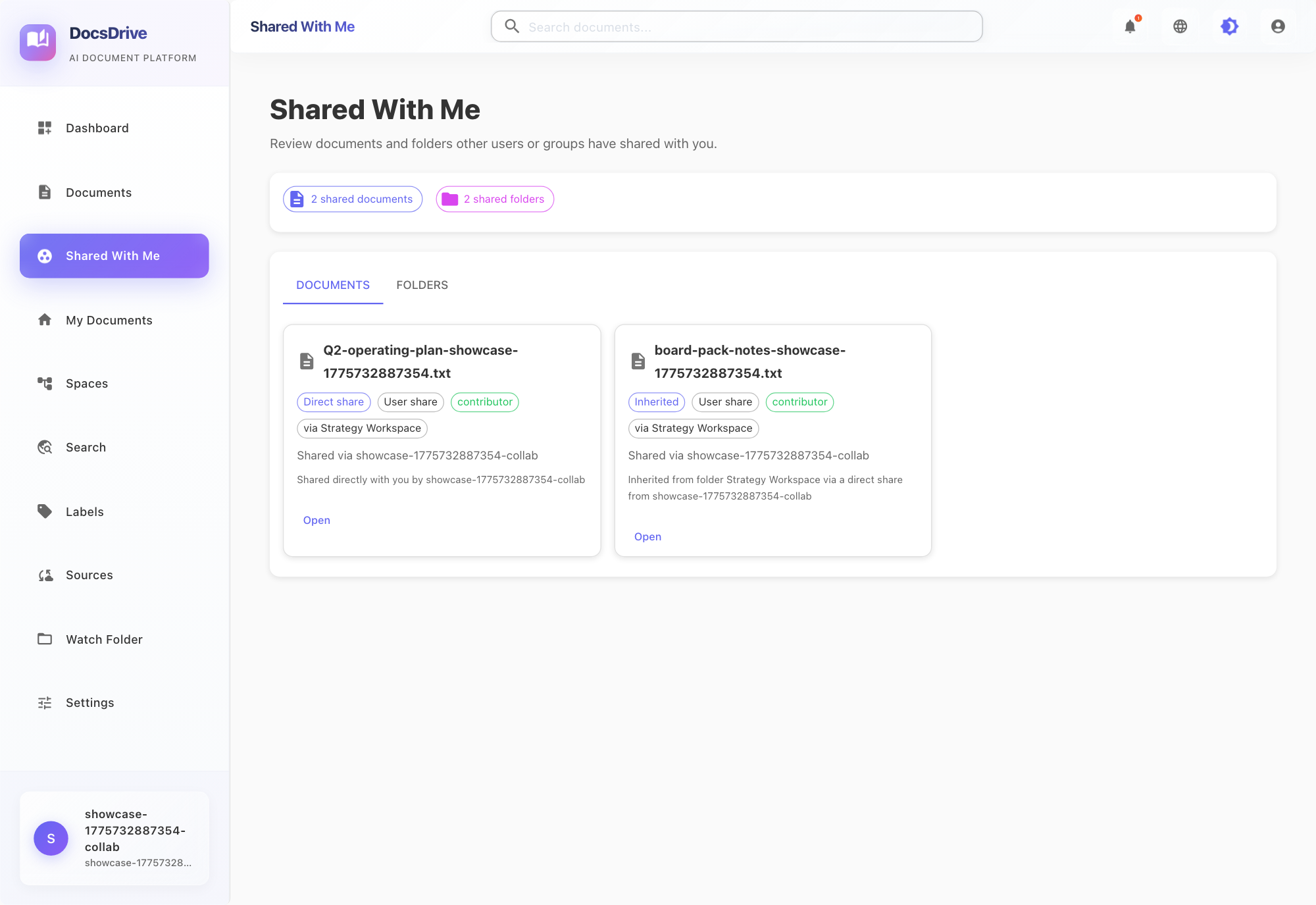
Share files and folders with users or groups using viewer, contributor, or manager roles. Access can be direct or inherited, and the UI explains why a user can see an item.
Find scanned PDFs, images, Office documents, and text files through OCR-backed full-text search, filters, and role-aware result views.
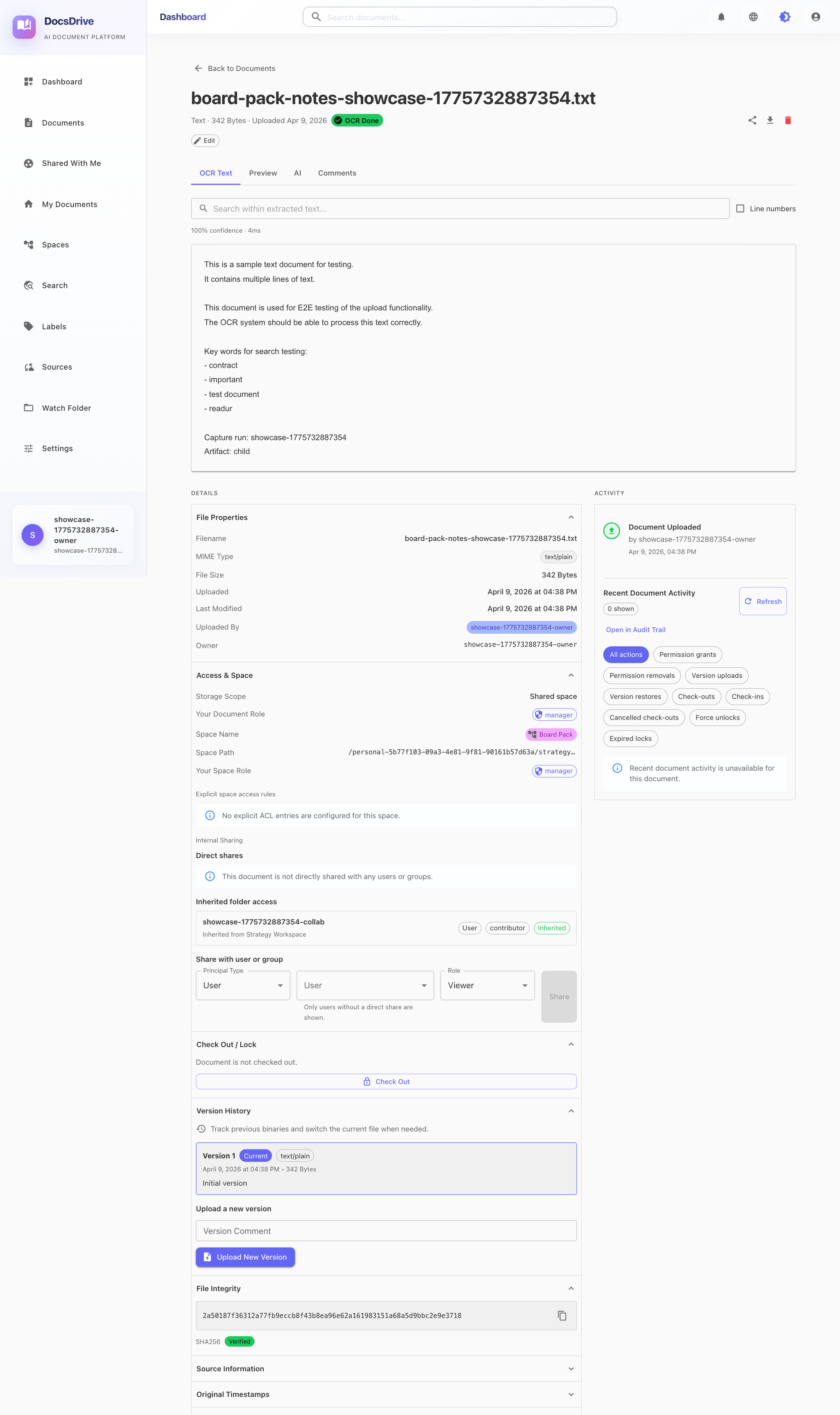
Check out a document, update it, upload a new version, and check it back in. Locks can be released manually, force-unlocked by managers, or expire automatically.
Files and folders can be moved or copied directly inside the workspace, including deep child folders that need to be reparented or duplicated.
Operational Flow
Create folders in My Documents, upload into the current location, and build an intuitive working structure.
Share files or folders with users and groups through defined roles instead of informal access patterns.
Shared-with-me views, badges, notifications, and audit-aware activity make access decisions legible.
Check-out, version upload, check-in, force unlock, and timeout cleanup reduce conflicting document updates.
Current Product Screens
Document Control Surface
Users do not need to jump across multiple pages to understand the state of a document. Access, versions, activity, and collaboration controls are visible in one place.
Operational Overview
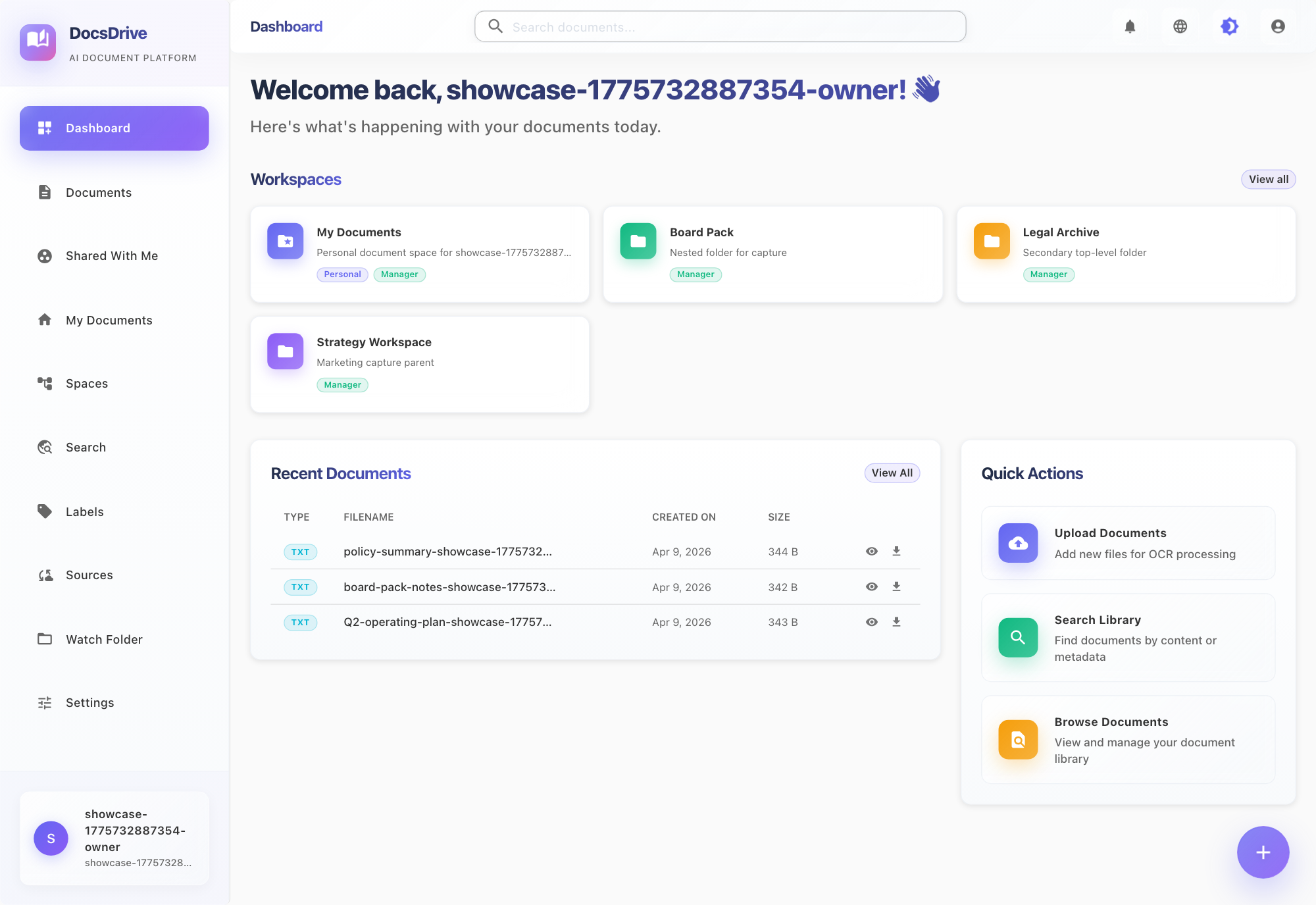
Useful context stays visible without dropping users into a busy enterprise console.
Access Discovery
Recipients can immediately understand direct, inherited, user, and group-based access.
Core Capabilities
Positioning
User experience
My Documents acts like a real working area. Users create, browse, share, upload, move, and copy directly where the work is happening.
Control model
Internal sharing uses ACLs, inherited permissions, audit events, and protected editing behavior instead of loose, opaque sharing patterns.
See It In Use
Open the live demo and move through personal workspaces, shared spaces, search, notifications, internal sharing, and version-controlled document collaboration.